macOS · Windows · Linux / Free · Open source · No account
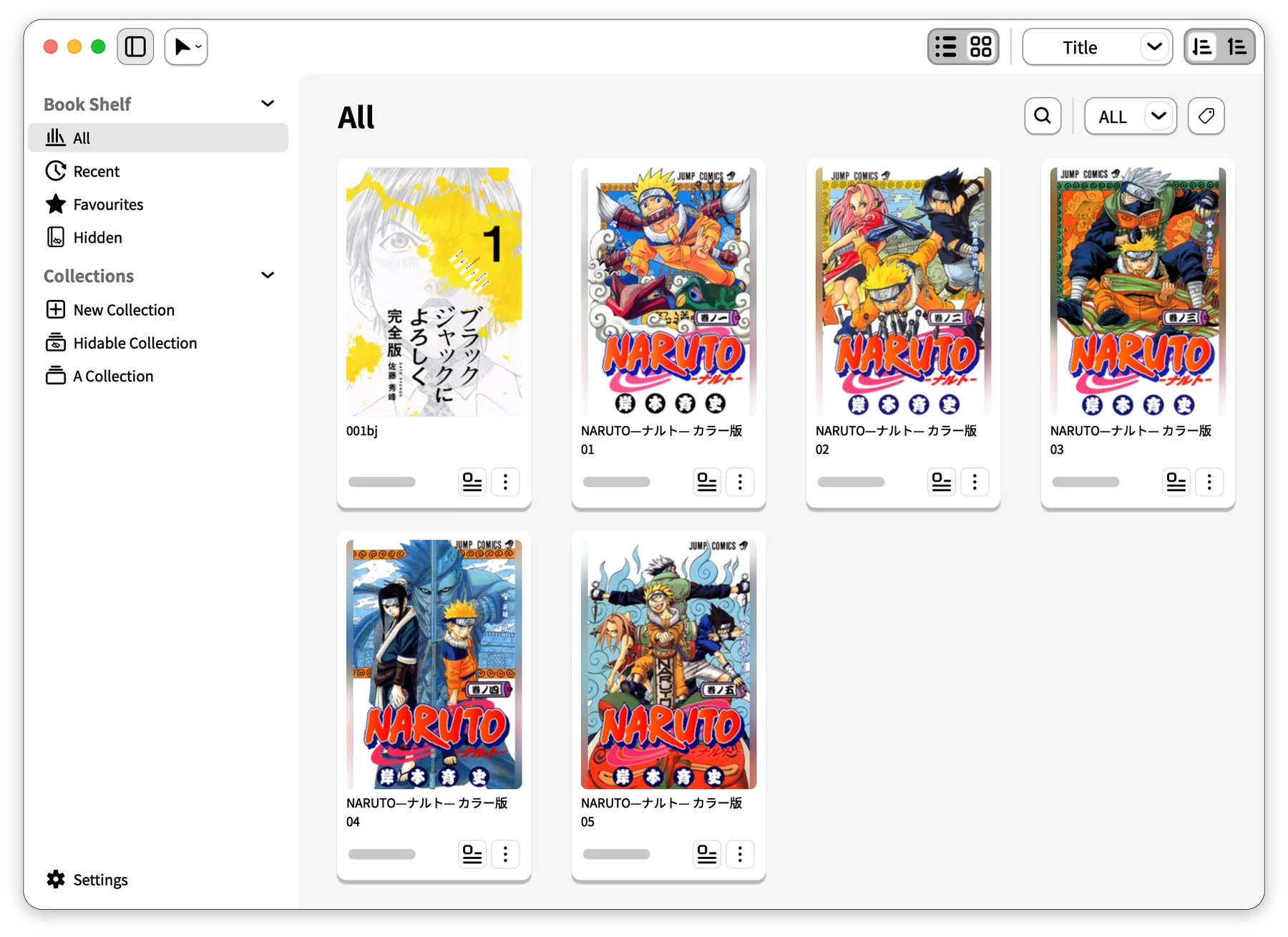
JOYREAD / MANGA LIBRARYCovers, collections, and progress at a glance
Your local formats, supported
CBZ / ZIP ✳ CBR / RAR ✳ CB7 / 7Z ✳ PDF
NEW IN 1.3.1
A clearer view. A smoother read.
Clearer interface
Cleaner panels. Easier to find.
Detail and navigation panels gain fixed titles and close buttons, with more room for content, balanced translucent surfaces, and thin borders. Thumbnail hover and selection feedback is more consistent, too.
Reading progress
See where you are at a glance.
The Reader, book cards, and Detail now share read and unread colors. A longer slider handle and clearer top and bottom controls make it easier to turn pages and find your place.
Background loading
Prepare ahead. Keep reading.
Random-access non-solid archives prioritize the page you are viewing while preparing nearby pages in the background. Outdated requests are retired when you jump, so loading follows your reading position.
This release also refines multi-book drag previews, fixes Windows text clipping and Ubuntu ARM64 WebP compatibility, and adds complete Chinese and Japanese manuals.
Drop in a file. Keep your collection your way. Let the manga take it from there.
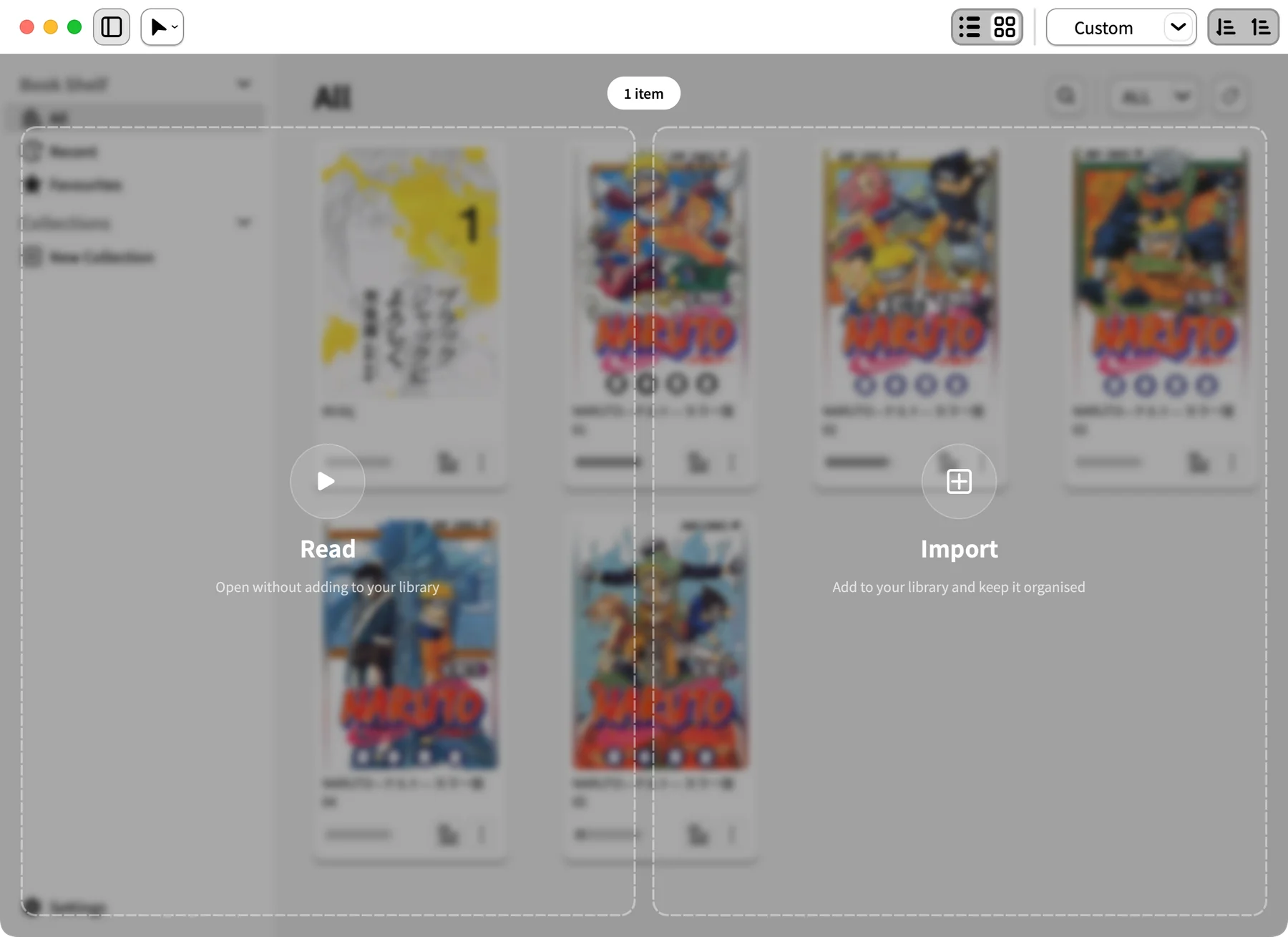
01 / DRAG & DROP
Read or import. Just drag and drop.
Open manga without copying it or adding it to your Library. Want to keep it? Choose Open & Import and read while it imports. You can also choose whether dropping onto the Read zone imports the file.
Read directlyAdd to collection
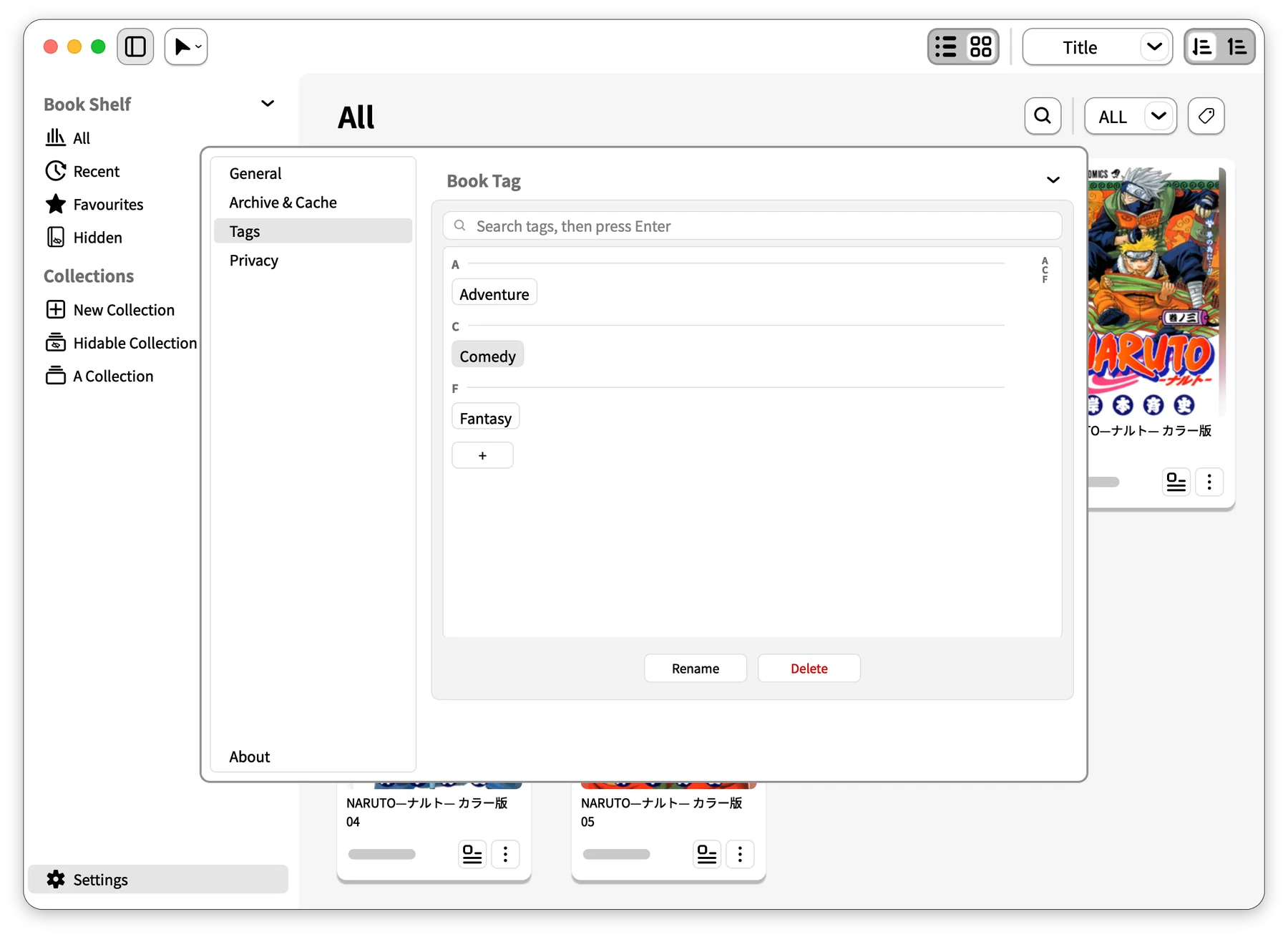
02 / TAGS
Tag it. Find it fast.
Tag manga by genre, series, or mood, then filter to find your next read. Create, search, rename, and remove tags from one place.
Filter by tagManage in one placeYour categories
03 / READER
Take a peek. Then turn the page.
Hover over the progress bar or drag the slider to preview a page; release to jump. Choose single pages or spreads and your reading direction, then settle into your own rhythm.
Page previewsSingle pages & spreadsReading direction
Keep it local
No account or cloud service required. Your collection and reading progress stay on your computer.
Three languages, one easy switch
English, Simplified Chinese, and Japanese. Follow your system language or switch whenever you like.
Free and open source
Source code is available under GPL-3.0. Explore it, report an issue, or help improve the app.
RELAX. YOUR MANGA IS READY.
Make a little time for manga.
JoyRead 1.3.1 · Choose the version for your computer.
The macOS package is not Apple-notarized; the Windows installer has no trusted code signature. Your system may show a first-launch prompt. See the release notes for installation guidance.
 JoyRead